
Safari can be a clean window again.
Clearpane clears ads, trackers and cookie walls out of Safari on iPhone and Mac. Keep scrolling and watch.
Download on the App StoreMost pages make you answer before you can read.
A wall of partners in front of the recipe, and an ad where the method should be.
Clearpane answers for you.
It declines the cookie wall where a site allows it and hides it where it doesn't. Ads and trackers never load.
The recipe, the speed test, and nothing in the way.
These are real pages from Safari on my iPhone, without Clearpane and then with it.
Speedtest, on my iPhone.
The same page, recorded twice. On the left, Safari as it comes. On the right, Safari with Clearpane.
Without it: a privacy wall with 1039 partners, then a pop-up to install their app.
With it: the Go button. Nothing to close.

What it handles
Clearpane gives Safari a list of rules, and Safari does the blocking on your phone.
- Ads and trackers
- Blocked before they load. The rules come from public filter lists and update up to twice a day.
- Cookie walls
- Declined for you where a site allows it, hidden where it doesn't.
- Pop-up loops on video sites
- The sites that open another tab every time you press play. Clearpane quiets them.
- YouTube Picture in Picture
- Keep a video playing in a corner of the screen while you read something else.
- Dark mode for any site
- Every website, or only the ones you pick.
- Focus hours
- The sites that pull you in stay closed on a schedule, with a short breathing pause before you open them.
If a site ever looks broken, tap Fix this page in Safari and Clearpane steps aside on that site.

Here is what Clearpane knows about your browsing.
Nothing. Safari applies the blocking rules itself. Apple built content blockers so that the app writing the rules never sees the pages you open.
The app does download filter lists from their public publishers, and it asks Apple about your purchase. Neither request carries anything about the pages you visit. Every request it makes is listed in the privacy policy.
- AccountNone
- AnalyticsNone
- Servers I runNone
- Pages sent to meNone
- App Store privacy labelData Not Collected
Test it yourself.
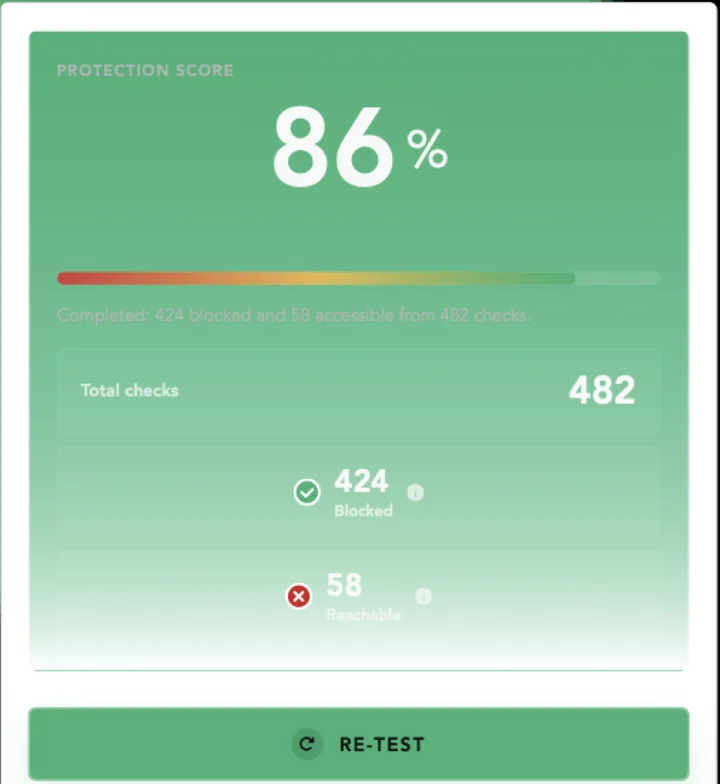
86%
424 of 482 checks blocked
That is superadblocktest.com, run in Safari on my own iPhone with Clearpane on. Open the same page before and after you turn Clearpane on, and compare.
The other 58 checks still get through. I would rather show you the real number.
On iPhone and Mac.
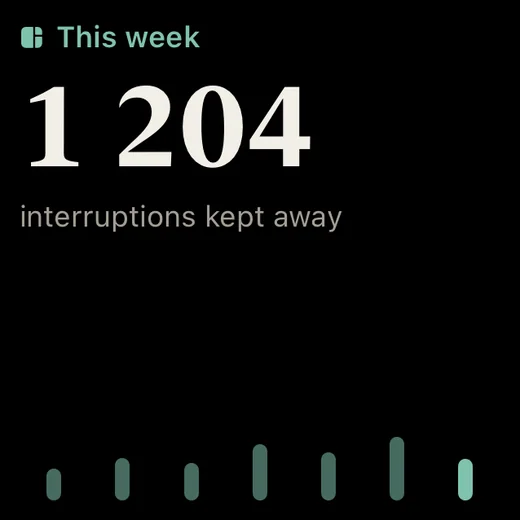
On iPhone, a widget and a Control Center button pause Clearpane in one tap. The Lock Screen shows whether it is on, and the widget counts what it kept away this week.
Mac
Clearpane works in Safari on a Mac too. You turn on the same extensions in Safari's settings, and one purchase covers iPhone, iPad and Mac with the same Apple Account.